

Experiments
Storyblok Experiments introduces content variants at the story level. Use experiments for A/B testing or to manage personalized content.
Experiments is part of Storyblok Labs and is still in beta. To enable the feature, open Settings → Labs.
The feature is built around three core elements:
- Experiments: define which variants to test, their weight distribution, and, optionally, for how long.
- Variants: create variations of stories to test against each other.
- Results: load performance data from your analytics platform into Storyblok via an API endpoint, and give teams visibility into experiment results without leaving the CMS.
Create an experiment
Section titled “Create an experiment”Navigate to Labs → Experiments and select + Create new.
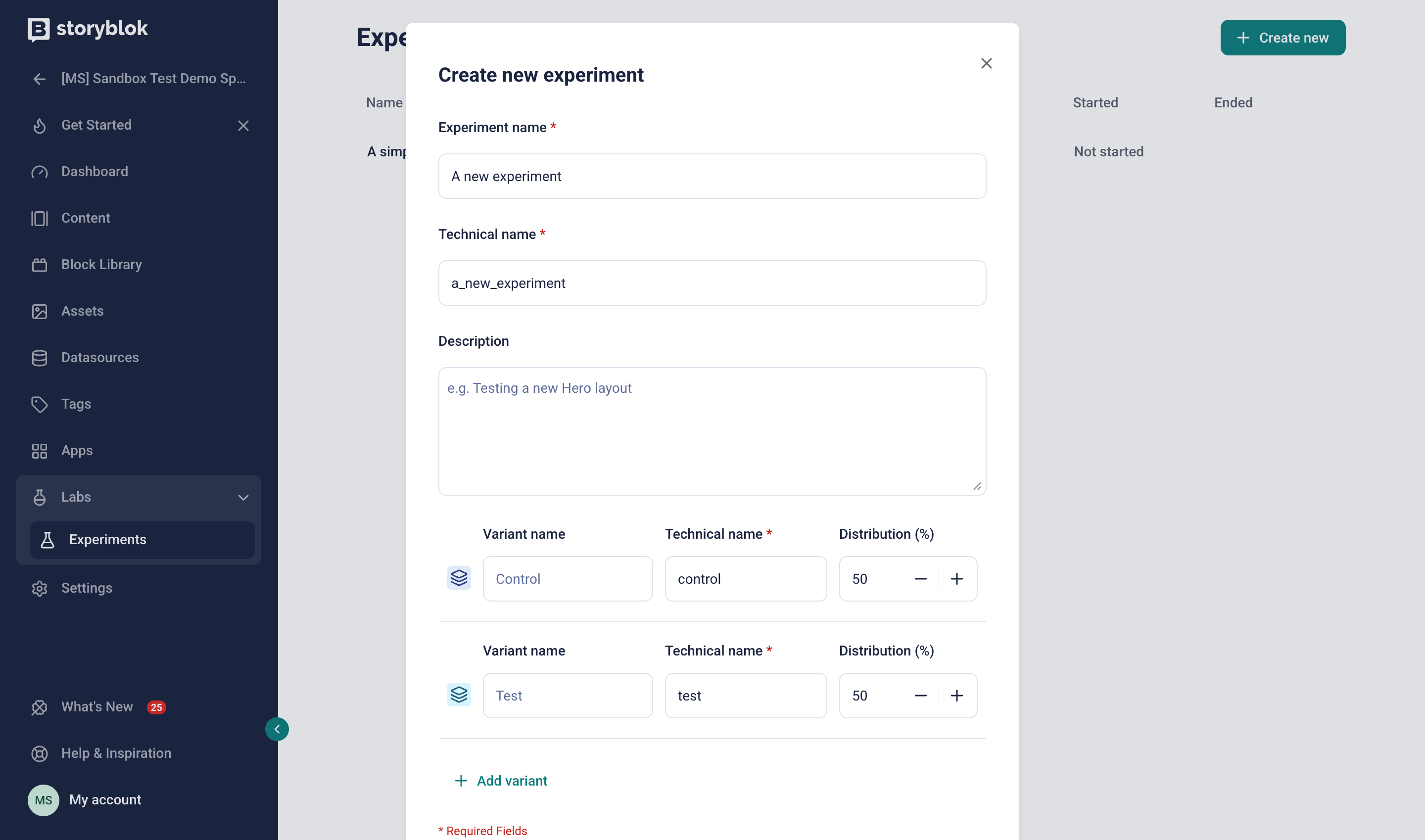
Create a new experiment
Enter an experiment name and a technical name (used as the identifier in the Content Delivery API). Optionally, add a description that summarizes the scope and goal of the experiment.
By default, an experiment includes two variants: a control and a test. The control is the variant designated as the baseline against which other variants are measured—any variant can serve this role. Each variant requires a name, a technical name, and a weight distribution (as a percentage). The sum of all distribution percentages must equal 100%.
Select + Add variant to add additional variants.
Once you select Create, Storyblok creates the experiment in draft status. Associate at least one story with the experiment before starting it.
Link a story to an experiment
Section titled “Link a story to an experiment”An experiment can include multiple stories, but you can only link each story to one experiment at a time. To link stories, the experiment must be in draft status.
In the Content section, open a story. In the right sidebar of the Visual Editor, select the Experiment section and link the story to the experiment. Once linked, the experiment title, status, and variants appear.
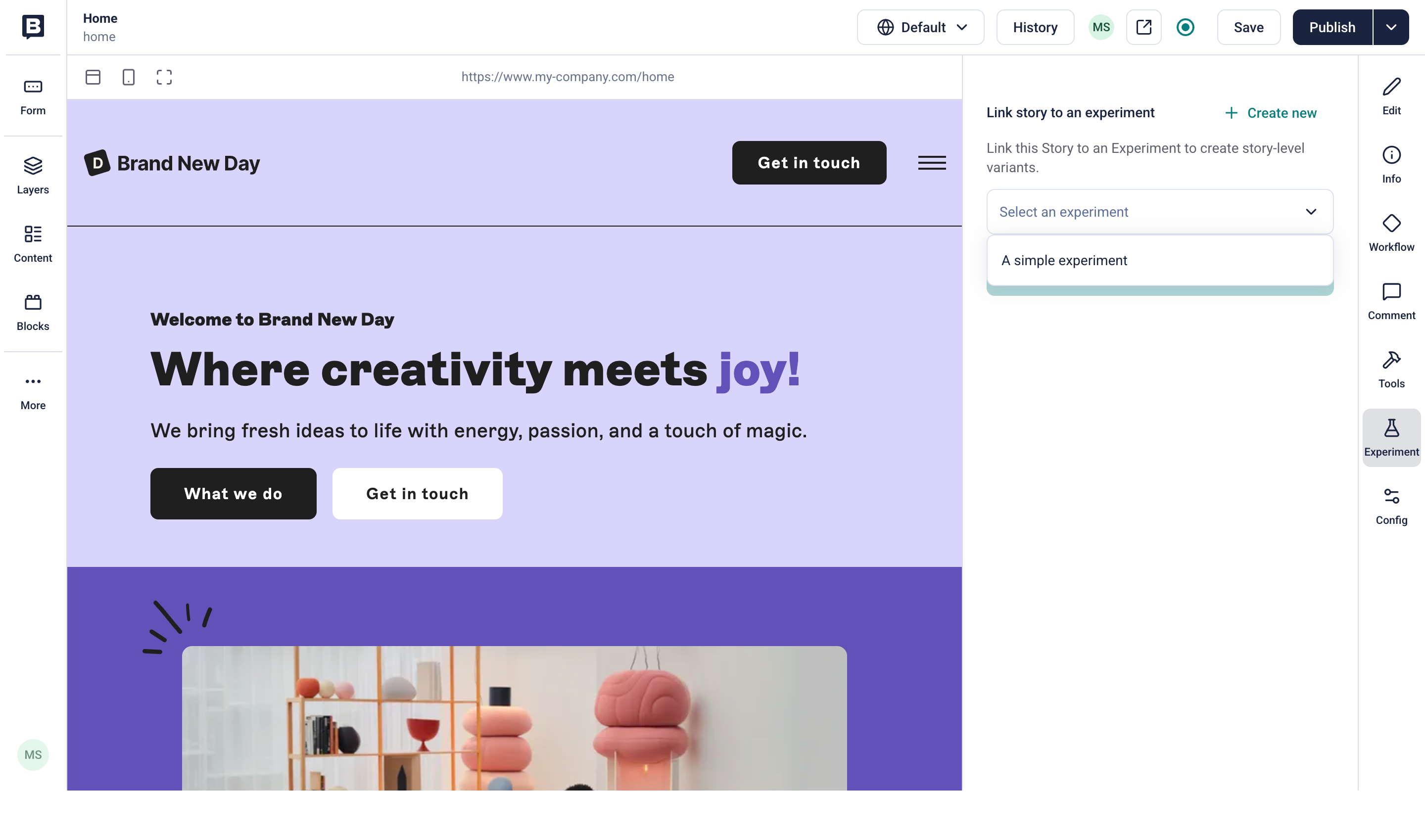
Link an experiment to a story
To access the story’s variants, select the variants toggle in the top toolbar and choose a variant to edit its content.
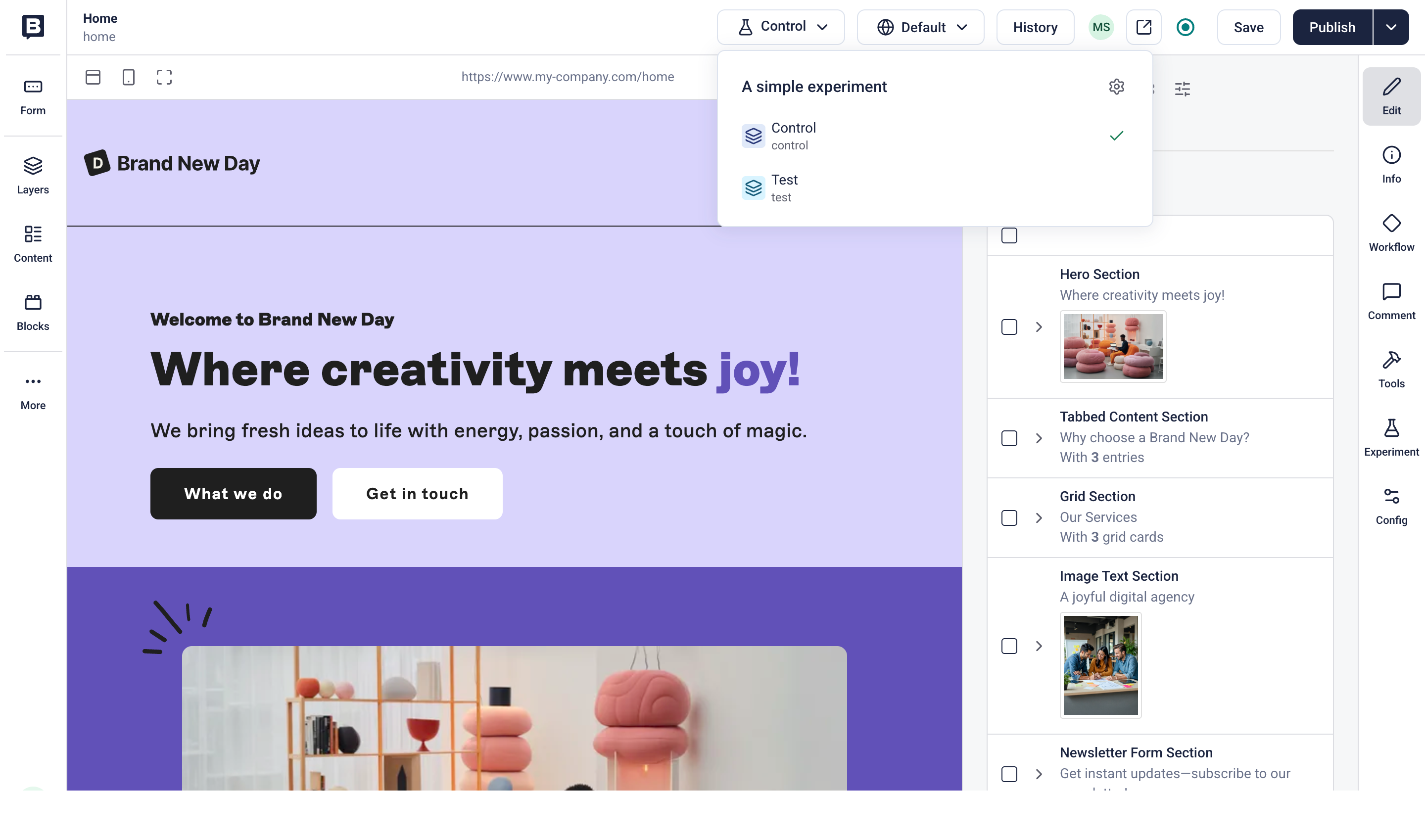
Select a variant in a story
Make changes to the variant’s content. Select Save and Publish to apply the changes to each variant independently from the main story.
Repeat the process for any additional stories you include in the experiment.
Unlink a story from an experiment
Section titled “Unlink a story from an experiment”A story can only be linked to one experiment at a time. To switch experiments, select Unlink experiment next to the experiment title, then select a different experiment.
The following applies when unlinking a story from an experiment:
- From a finished experiment: variants other than the winner are deleted
- From a draft experiment: all variants are maintained
- From a running experiment: unlinking is not possible
Start, pause, and finish an experiment
Section titled “Start, pause, and finish an experiment”After you've created and linked an experiment to at least one story, it moves through three states: running, paused, and finished. Each state has its own action in the experiment view.
Open the Experiments section, select the experiment, and choose Start experiment.
All stories and variants must be published before starting the experiment.
Open the Experiments section, select the experiment, and choose Pause experiment. You can resume the paused experiment at any time. While paused, variant content isn't visible in production.
Finish
Section titled “Finish”Open the Experiments section, select the experiment, and choose Finish experiment. Once ended, you can't resume or restart the experiment.
Choose a winning variant immediately, or decide later. If you select a winning variant other than the control, it remains the only published story.
View results
Section titled “View results”To review metrics for ongoing and finished experiments, select Results in the experiment details.
Results depend on the analytics data available within Storyblok. To learn more about loading performance metrics, follow the Experiment concept.
Integrate experiments within Storyblok
Section titled “Integrate experiments within Storyblok”The following sections clarify how experiments integrate with existing Storyblok features and apps.
Workflows
Section titled “Workflows”Storyblok tracks workflow stages separately for the main story and each variant. For more information about workflows and stages, check the Workflows manual.
Search
Section titled “Search”Search and indexing apply only to the main story. The search results available via Storyblok’s Content Delivery API and the Algolia app (opens in a new window) exclude variants.
Internationalization
Section titled “Internationalization”Experiments support both field-level and folder-level translation:
- Field-level translation: translatable fields can have different translations for each variant, independent of the main story.
- Folder-level translation: add individual stories to an experiment and manage each story's variants. Experiments don't work in combination with the Dimensions app (opens in a new window).
Learn more in the Internationalization concept.
Releases
Section titled “Releases”The Releases app (opens in a new window) offers partial support for experiments: when editing a story in an upcoming release, variants are disabled—only the main story is editable. On publish, Storyblok merges release changes into the main story, and variants remain unchanged.
Pipelines
Section titled “Pipelines”The Pipelines app offers partial support for experiments: variants are available only in the preview branch, and content staging isn't supported.
Backups
Section titled “Backups”Experiments and variants are excluded from backups.
Space duplication
Section titled “Space duplication”Experiments and variants are excluded from space duplication.
Was this page helpful?
This site uses reCAPTCHA and Google's Privacy Policy (opens in a new window) . Terms of Service (opens in a new window) apply.
Get in touch with the Storyblok community